A person who is a die-hard fan of Game of Thrones hears that the
first episode of the season is out and it might be a few hours before he
can watch it. So, probably he would lock himself in a room, throw away
the key and cut every communication through social media and WhatsApp
and all that just to save himself from the spoilers. Not just Game of
Thrones, spoilers can ruin almost any movie and TV show for you that you
have been waiting for months. “Did you hear about Jon Snow’s ****?” | Shutterstock
Most of these spoilers are from popular social networking websites like Facebook and Twitter.
Some of your friends consider it their birth right to spoil the movies
just for fun but they really don’t understand that how important it can
be for an individual who has waited for quite a few months just to enjoy
the show like everyone else.
So today, I will share with you a few tricks that you can use to
fight such spoilers on Facebook and Twitter and make sure you enjoy the
show or a movie without any spoilers.
Blocking Spoilers on Facebook
We will be using a tool called F.B. Purity
which is a browser extension available for most of the modern day
browsers. The extension works out of the box to fight irrelevant content
on your Facebook timeline and hides them to show only the ones which
matter to you. Most of these contents that F.B. Purity hides from newsfeed are game requests, application spam, ads and sponsored stories.
When you install the extension and load Facebook, you will see the
F.B. Purity link under the Status Update box which will tell the number
of updates that the extension has hidden from you. If you click on the
F.B. Purity link, it will open up the F.B. Purity Options.
Under the Newsfeed Filters section, you will see a
lot of options to filter the news feeds that you get on your FB
timeline. Under the option where you see Text Filter, enter the
words or phrases (on separate lines) that you wish to filter from your
news feed. For example, for Game of Thrones, it should be GoT, Game of
Thrones, Jon Snow and whatever you think might be used by your friends
in their status updates.
That’s all, once you are done, you can click on Save and Close to save the settings. You are now safe from spoilers as far as browsing Facebook on your browser is concerned.
Blocking Spoilers on Twitter
There are extensions like Open Tweet Filter and Larry filter for Twitter
available for Chrome and Firefox respectively using which you can block
tweets containing specific keywords while you are browsing the official
website. You just need to install these extensions and enter the
keywords, hashtags and even the users you wish to block on your Twitter
timeline.
It’s as simple as that. These extensions will protect you to a great
extent when it comes to spoilers and other useless updates you get on
your Facebook and Twitter timeline.
What About Smartphones?
For Facebook, there is no app or settings that I am aware of that can
block keyword based updates on the official app. You can anyways
uninstall the app and do your phone a favor with huge battery drain and unnecessary background app activity.
For Twitter, there are various third-party apps available for
Windows, Android, and iOS using which you can blacklist certain keywords
on your timeline. We have already covered some of the top tools with
this feature in one of our previous articles and you can have a look at.
Conclusion
So that was how you can protect yourself from spoilers on Facebook
and Twitter. If you would like to share any additional tips for our
readers that can help in fighting spoilers, please reach out to us
through comments or our forum.
Especially if it’s about filtering updates on Facebook for smartphones, I would love to hear.
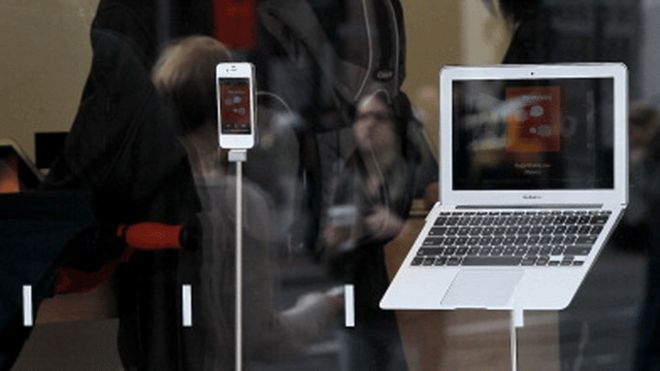
Apple's computers and mobile devices could be targeted more heavily by hackers in 2016, experts predict
Cybercriminals are increasingly
targeting Apple devices and 2016 will see a rise in attacks on its
operating systems, security experts suggest.
According to security
firm Symantec, the amount of malware aimed at Apple's mobile operating
system (iOS) has more than doubled this year, while threats to Mac
computers also rose.
Security firm FireEye also expects 2016 to be a bumper year for Apple malware.
Systems such as Apple Pay could be targeted, it predicts.
Apple is an obvious target for cybercriminals because its products are so popular, said Dick O'Brien, a researcher at Symantec.
While
the total number of threats targeting Apple devices remains low
compared with Windows and Android, Symantec is seeing the range of
threats multiply.
Last year, it was seeing a monthly average of between 10,000 and 70,000 Mac computers infected with malware.
"This
is far fewer than Windows desktops and we don't want to scaremonger.
Apple remains a relatively safe platform but Apple users can no longer
be complacent about security, as the number of infections and new
threats rise," said Mr O'Brien.
The
number of unique OS X computers infected with malware in the first nine
months of 2015 was seven times higher than in all of 2014, its research
found.
A significant amount of this spike is accounted for by
so-called greyware - applications that may not have malware attached but
can still be annoying to users, by serving up unwanted ads or tracking
their web-browsing habits.
Symantec also found seven new threats
aimed at Apple's mobile iOS platform, with jailbroken devices - those
that have been unlocked - being particularly vulnerable.
And hackers are also increasingly targeting corporations, where Mac use is now more prevalent.
A
corporate espionage group known as Butterfly which attacked
multi-billion dollar companies in 2015 developed malware tools that
attacked both Windows and Apple computers.
Walled garden
Traditionally
iOS has been seen as a more secure platform than Android because of the
more closed community that Apple runs for its apps but that is
changing, according to FireEye.
While it found that the vast majority - 96% - of mobile malware is targeted at Android devices, iOS is no longer immune.
According
to Bryce Boland, chief technology officer at FireEye, attackers are
increasingly "finding ways into Apple's walled garden, and that will
ramp up next year".
FireEye recently discovered that XcodeGhost,
iOS malware that Apple acted quickly to remove from its app store, had
found its way into the networks of 210 US businesses.
The attack was thought to be the first large-scale attack on Apple's app store.
The
introduction of new payment systems, such as Apple Pay, will add a
financial incentive for hackers, making it worth their "time and effort"
to develop new malware, FireEye said.
Mr O'Brien said: "We
haven't yet seen any threats targeting Apple Pay but anything that
involves a financial transaction will be of interest to hackers."
We had loved LastPass so much that we had actually called it The Best Password Manager. So, when the story of the hack broke out a while ago, we were all in a state of shock. But, does that mean everyone ought to ditch LastPass and use something else? Are your passwords safe in the cloud? Can we trust the company again? That’s what we’re trying to find out.
Needless to say, this is the first thing that needs to be done. Panicking, or worse, spreading false information via any medium, is just not the right way to respond to any crisis. While it’s natural to feel scared when you read a news like this, you have to realize that unnecessary panic just does not serve any purpose. In their blog post, LastPass have made it clear, and I quote,
In our investigation, we have found no evidence that encrypted user vault data was taken, nor that LastPass user accounts were accessed.
Yes, it does go on to say that
The investigation has shown, however, that LastPass account email addresses, password reminders, server per user salts, and authentication hashes were compromised.
But, what does this mean, you ask? Simply stated, it means while all your passwords are safe, other info may not be. For which, again, the blog post has already stated a few helpful tips.
Yes, the data from password managers is stored on the cloud, but the information is encrypted right on your computer. And even though the cloud computing architecture does involve a slight risk, you can still rest easy knowing that all encrypted data is never stored there. Which includeall your passwords.
Helpful Tip: Check out our Ultimate Guide on passwords to know everything about creating and managing passwords on the internet.
Prevention is Always Better Than Cure
This old adage could never be more relevant than in these times of internet snooping and loss of privacy. Here are some steps that you should follow when it comes to your LastPass account, to ensure you don’t lose your sleep over such incidents.
Change the Master Password
To change the Master Password of LastPass, simply click on Preferences, where you will find the Account settings section on the left. Clicking that will give you the option to Click here to launch account settings as shown below.
Clicking that will open a new tab, where all you need to do is hit the Change Master Passwordbutton and go for a newer (and stronger) alternative.
That’s it, the most important step that you should be doing after this incident is done!
2-Factor Authentication and Other Security Options
We feel it is a good idea to use 2-Factor Authentication wherever possible, and especially in places where sensitive data is stored. LastPass is absolutely correct in suggesting the use of this service and we feel that you should do this right away, after changing your master password. In fact, while you’re at it, do consider adding the 2-Step Authentication Factor to all the services you use which hold sensitive data.
In LastPass, you will find Multifactor Options in Account Settings (see above). This is where you will find options to further secure your LastPass account. You will also see the Grid Authentication option that we have written about before.
Country-based Restriction
Another layer of security that LastPass entails its users to explore is the country-based restriction policy. Once enabled, this will enable only devices originating from the country of your residence to access your LastPass data. If a device from any other country tries to access it, they will show an error message. We’ve covered this in much detail and you should definitely read it, if you haven’t already.
Still Worried?
Don’t be. There’s nothing more to be done here. LastPass has already updated their security and is already prompting users to be verified via email, if they are using a new device or a new IP. To verify this, we tried just that and were happy to report that this step works just as advertised.
Existing users are also being prompted to change their Master Password, but even if you don’t get that prompt, we urge you to do it anyway. Lastly, we’d like to quote Jeremi Gosney (a password security expert at Stricture Group) who spoke to Ars Technica about the hack –
On an NVIDIA GTX Titan X, which is currently the fastest GPU for password cracking, an attacker would only be able to make fewer than 10,000 guesses per second for a single password hash. That is proper slow! Even weak passwords are fairly secure with that level of protection (unless you’re using an absurdly weak password.) And this doesn’t even account for the number of client-side iterations, which is user-configurable. The default is 5,000 iterations, so at a minimum we’re looking at 105,000 iterations. I actually have mine set to 65,000 iterations, so that’s a total of 165,000 iterations protecting my Diceware passphrase. So no, I’m definitely not sweating this breach. I don’t even feel compelled to change my master password.
In fact, quite a few members of our own team use the tool and we have done exactly the same things that we have stated above. And now we wish to spread the knowledge to as many people as possible.
Want To Try Alternatives?
Okay, if you feel that you have lost faith in LastPass because of all this, then of course, there are always alternatives. If you’re willing to invest a little money (and some of that lost faith) then there’s always 1Password. It’s the same architecture and security measures at play, but Agilebits, the company behind 1Password, does have a better track record than LastPass. By that, we mean that it’s never been hacked. Hasn’t been reported, to be more precise. Yet.
Even though it is not as convenient as 1Password, if you’re willing to play around, a few plugins can be added to match the functionality of its paid peer. It does take some patience, though, so be prepared.
Our 2 Cents
It’s very easy to blame a company and say they weren’t careful with your data. But that’s as good as blaming banks when there is a robbery. People haven’t stopped putting their money there and neither should you stop trusting password managers, just because one was hacked.
We’re not even saying that the security was lax on LastPass’ part, but they definitely need to pull up their socks. It wasn’t the first time a threat was detected in their system, but both times nothing major was stolen/lost. They acted quickly and promptly notified users and have already dealt with the security issue which lead to this. With a little more precaution yourself, you can ensure a much happier state of mind. If you can spend all that time thinking about your bank balance, we’re certain you can spare a few thoughts for the passwords that keep them safe, too?